Tutorial 3
Profile and group links
Add profile info
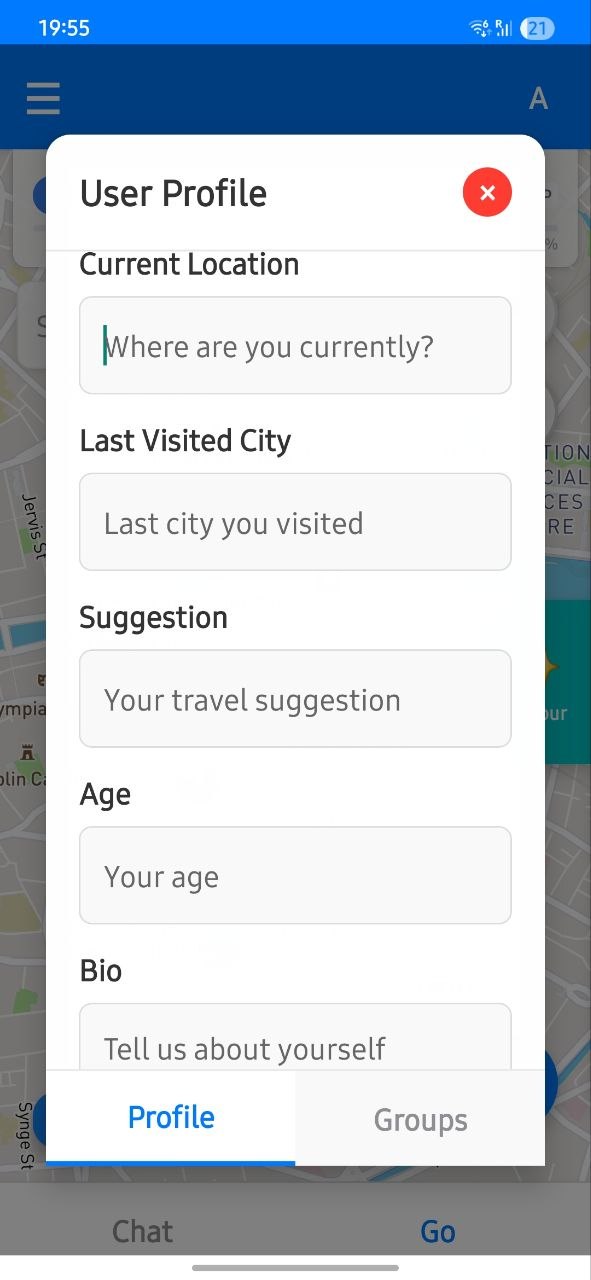
Complete your basic profile data so your activity is organized across groups.
Keeping this current helps collaborators identify who created or edited places.
Open groups page
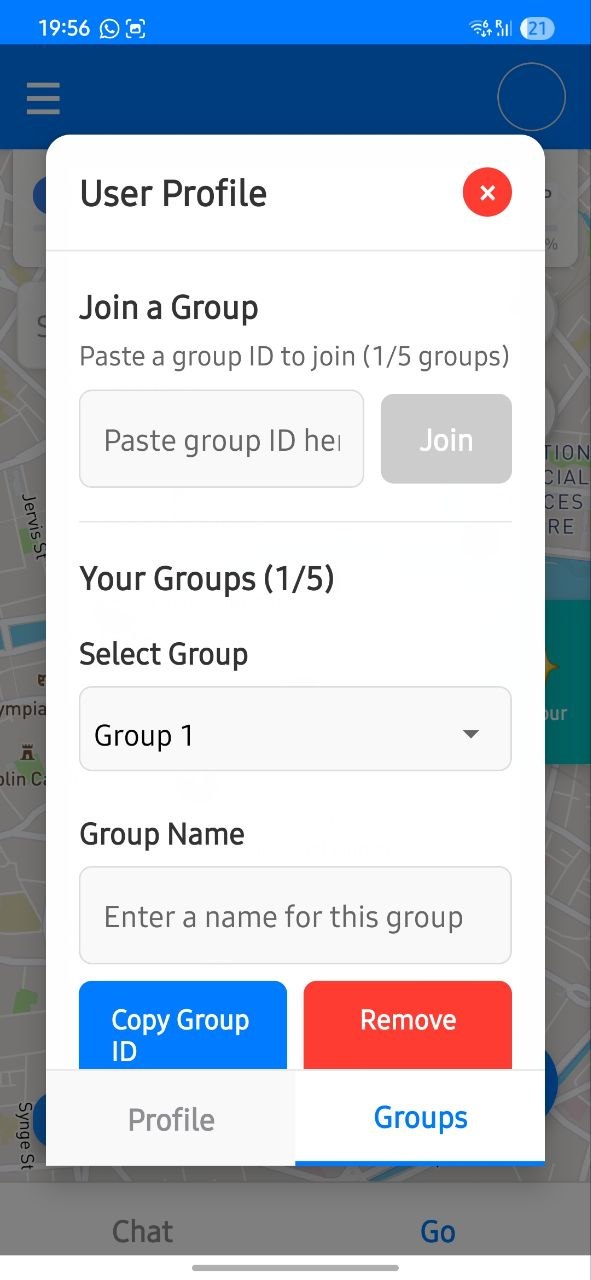
Use this section to manage collaboration access for private places and shared planning.
Each group link scopes visibility so private items stay within the intended group.
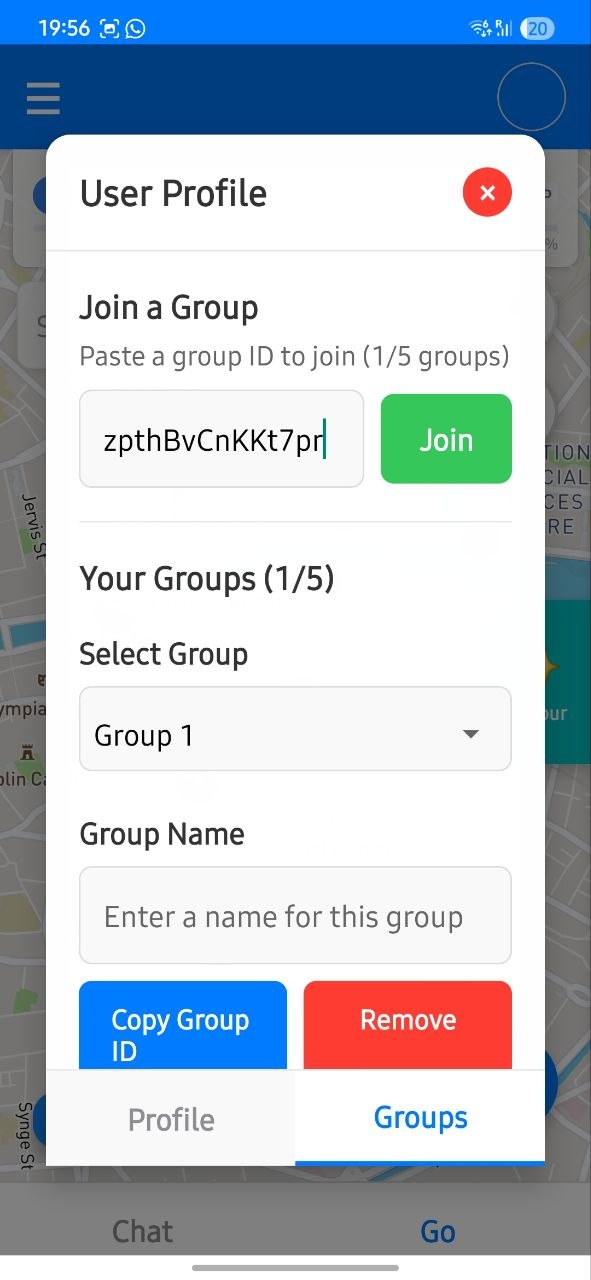
Copy and share link
After sharing, your friends can access private places linked to that specific group link.
Share only with trusted members to keep private planning spaces controlled.
Switch groups
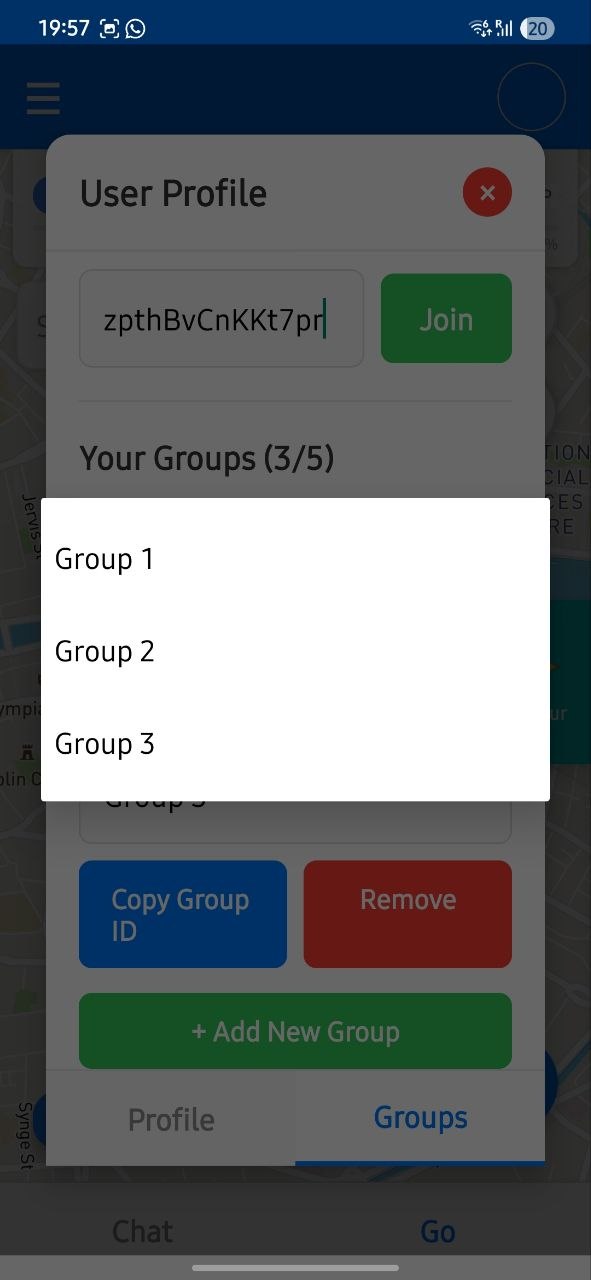
You can have up to 5 groups. Change selected group to view places linked to it.
This keeps different trips and audiences separated without mixing places.